Kalamos application icon

Kalamos

Write, and it appears.

A distraction-free, live-preview Markdown editor for macOS. Named after the Ancient Greek reed pen, Kalamos turns plain GFM files into crisp paper as you type — free, offline, and without accounts.

macOS (.dmg) · Built with Tauri 2 & CodeMirror 6 · Offline & Standard GFM

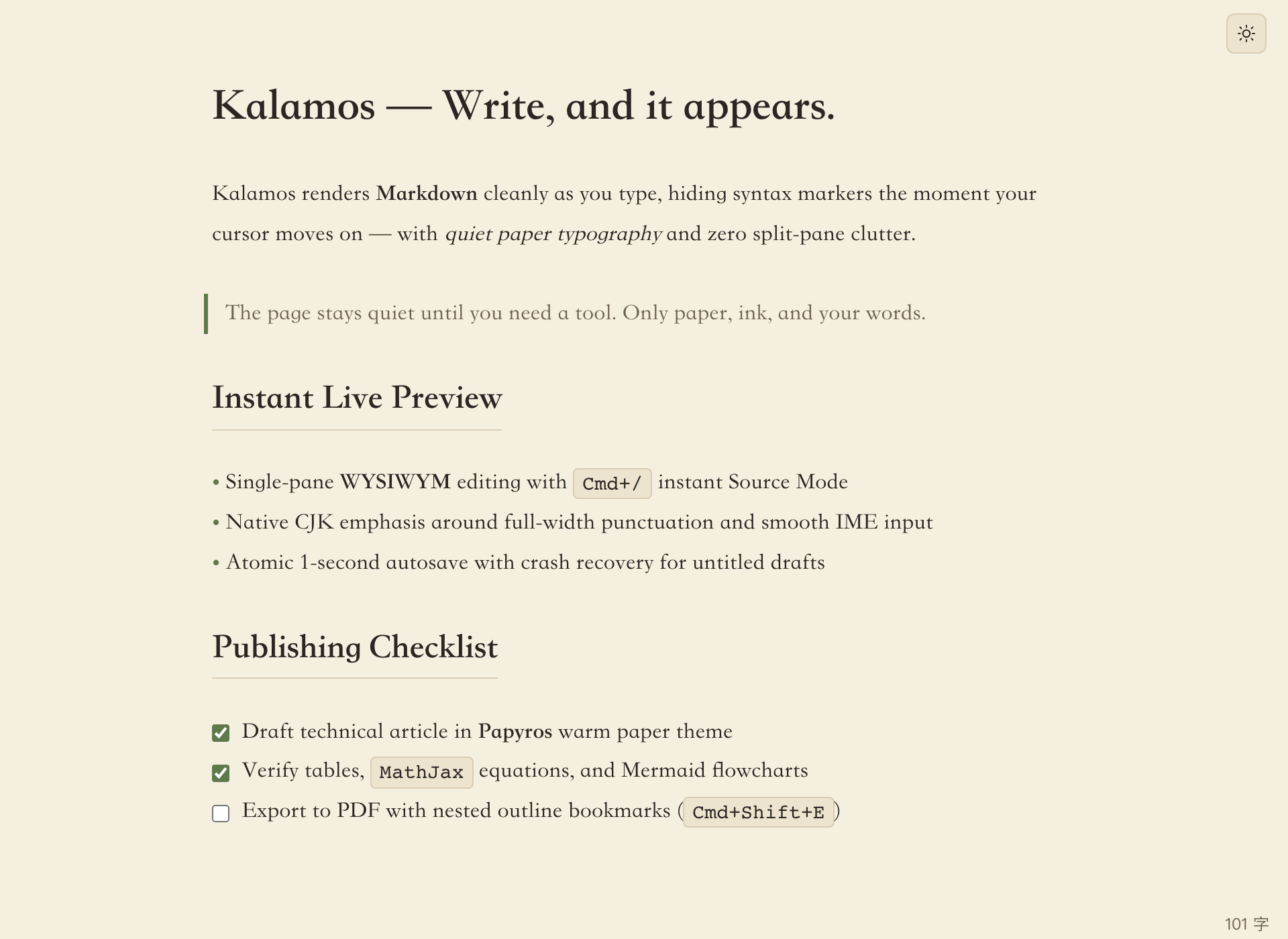
Kalamos live preview editor showing headings, bilingual CJK and English text, blockquote, bullet list, and interactive task checkboxes in the Papyros light theme

Single-Pane Live Preview

No split panes or preview buttons. Syntax markers render the instant you close them and fade out when your cursor moves away. Press Cmd+/ for raw Source Mode anytime.

Native CJK & IME Care

Bold and italic work cleanly beside full-width punctuation, and decorations pause during IME composition so Chinese, Japanese, and Korean typing never jumps.

Your Files, Always Local

Standard GitHub Flavored Markdown with zero proprietary markup. Atomic saves, 1-second autosave, and crash recovery keep every draft safe offline.

Visual Tables

Edit tables without fighting pipes

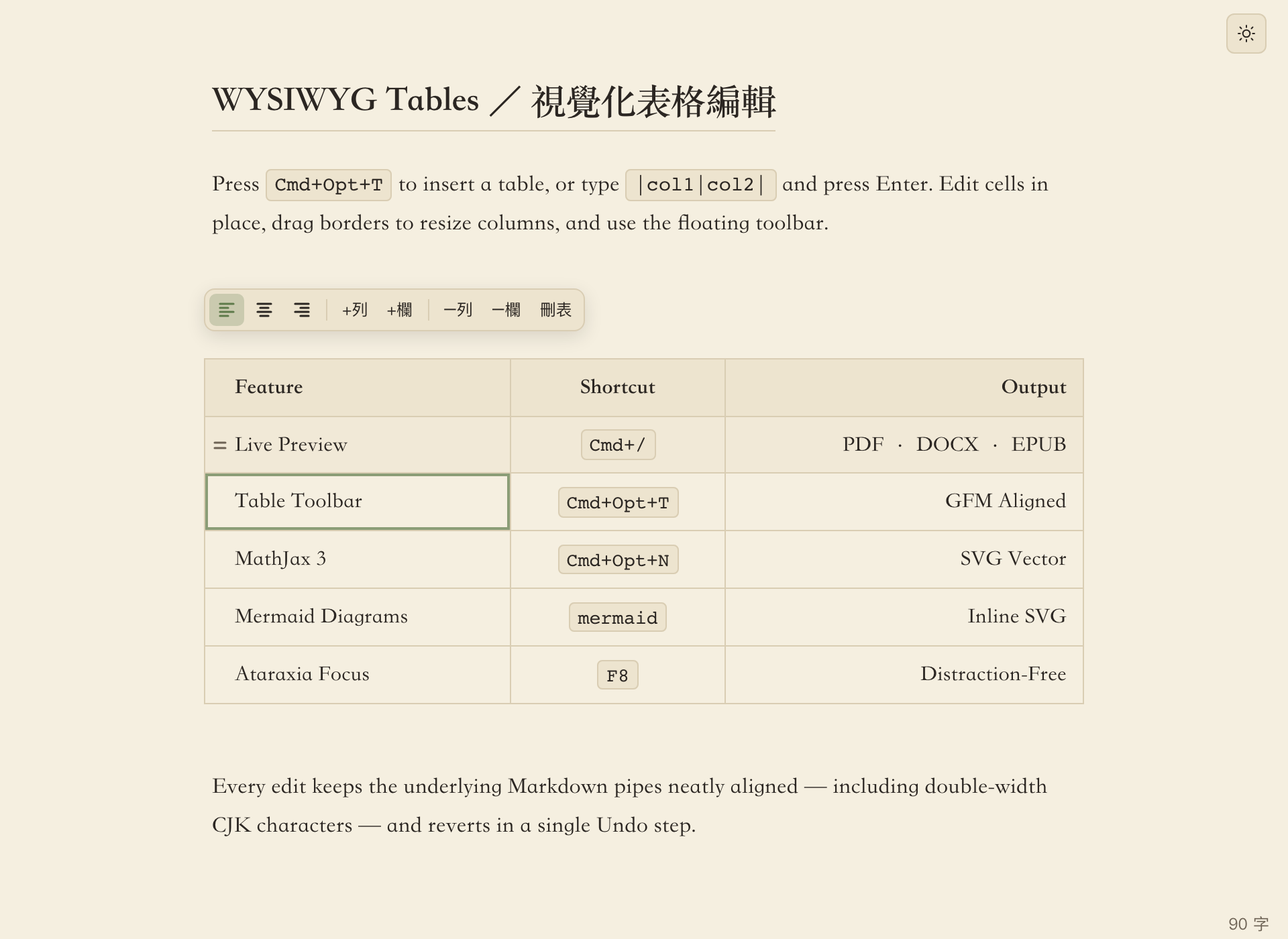
Press Cmd+Opt+T to pick dimensions from a visual grid, or type |a|b| and hit Enter. Edit cells in place, drag column borders, and reshape rows or alignment from a floating toolbar that never covers your text.

Kalamos visual GFM table editor with an active cell and the floating table toolbar above the table
In-Place Navigation Move across cells with Tab, Shift+Tab, and Enter; exit cleanly with Cmd+Enter.
CJK-Aware Formatting Underlying Markdown pipes stay neatly aligned, counting full-width characters as width 2.
Single-Step Undo Adding, deleting, or aligning rows and columns always reverts in one Cmd+Z.
Math & Diagrams

Equations and flowcharts, rendered offline

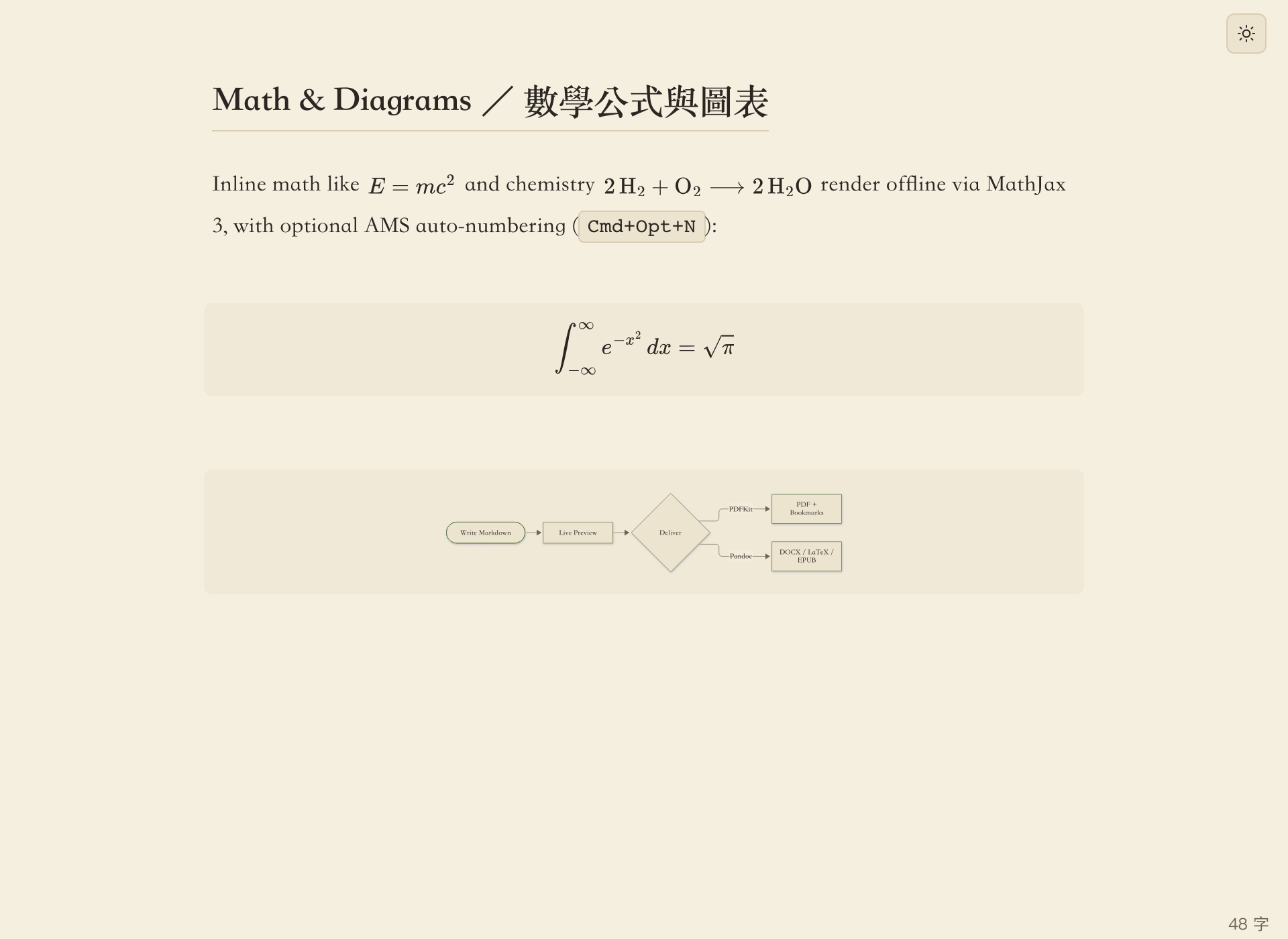
Typeset inline $...$ and display $$...$$ formulas with bundled MathJax 3 (including AMS, mhchem chemistry, and bbox), alongside theme-matched Mermaid, flowchart.js, and sequence diagrams.

Kalamos rendering inline math, chemistry notation, a display integral with MathJax 3, and a Mermaid flowchart
Viewport-Only Rendering Only visible formulas are typeset, keeping 10,000-line documents responsive.
AMS Auto-Numbering Toggle sequential equation numbering across the document with Cmd+Opt+N.
Instant Error Feedback Syntax mistakes in diagrams report exact line numbers instead of blank boxes.
Code Blocks

Calm syntax highlighting for 100+ languages

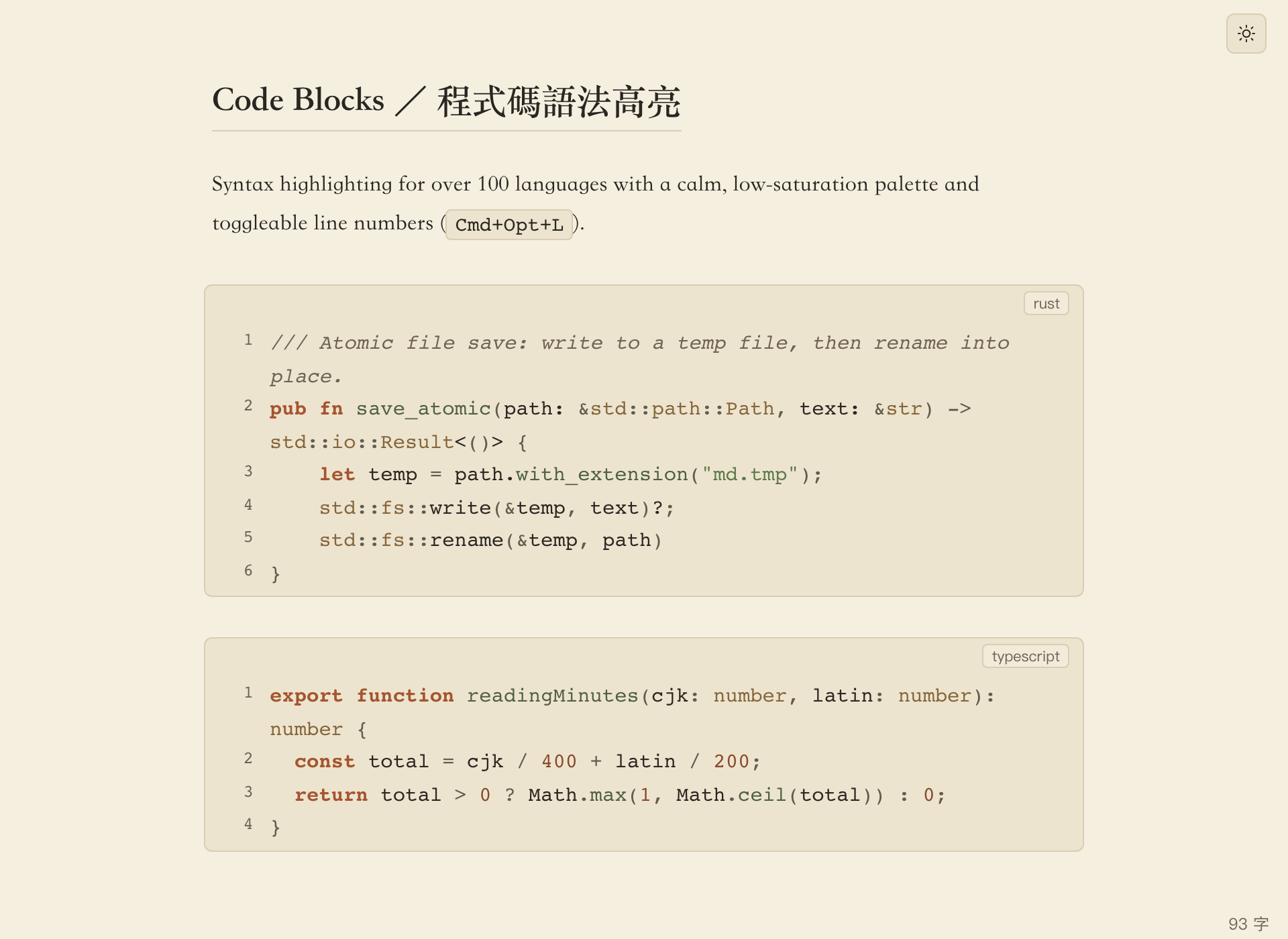
Write technical posts and specifications with low-saturation syntax colors matched to your paper theme, bundled JetBrains Mono ligatures, and toggleable line numbers via Cmd+Opt+L.

Kalamos fenced code blocks in Rust and TypeScript with syntax highlighting and line numbers enabled
From Draft to Delivery

Images, files, and multi-format export built in

Everything you need to move a technical article from local folder to finished document — without leaving the editor.

Images & Custom Upload

Drag-and-drop or paste images to save them into a local assets/ folder automatically. Resize with <img> zoom attributes, resolve static-site root folders (typora-root-url or Cmd+Opt+R), and upload to your image host via any CLI uploader configured in settings.json.
  • Inline Preview
  • Drag & Paste
  • Image Root Folder
  • CLI Uploader

Native PDF & Pandoc Export

Export crisp A4 PDFs (Cmd+Shift+E) with nested PDFKit bookmarks matching your headings — complete with rendered math and diagrams. With optional Pandoc installed, export to DOCX, ODT, LaTeX, MediaWiki, and EPUB, or import existing documents back into clean Markdown.

  • PDF + Bookmarks
  • DOCX · ODT · EPUB
  • LaTeX · MediaWiki
  • Sandboxed Import

Sidebar, Outline & Live Stats

Open any local folder (Cmd+Shift+O) to browse via File Tree, File List, or live Outline navigation — fully compatible with iCloud Drive and Dropbox folders. Track reader-visible CJK + Latin word counts, reading time, and live selection stats in the status bar.

  • File Tree & List
  • Outline & [TOC]
  • Live File Watch
  • Selection Word Count

Thoughtful Writing Details

Hover footnotes with click-to-jump, YAML Front Matter, heading bookmark links (Cmd+Shift+C), offline GitHub emoji autocomplete (:smile), and smart auto-pairing for ASCII and CJK full-width brackets and quotes.

  • Footnotes
  • Front Matter
  • Emoji :shortcodes
  • Auto-Pairing
Themes & Custom CSS

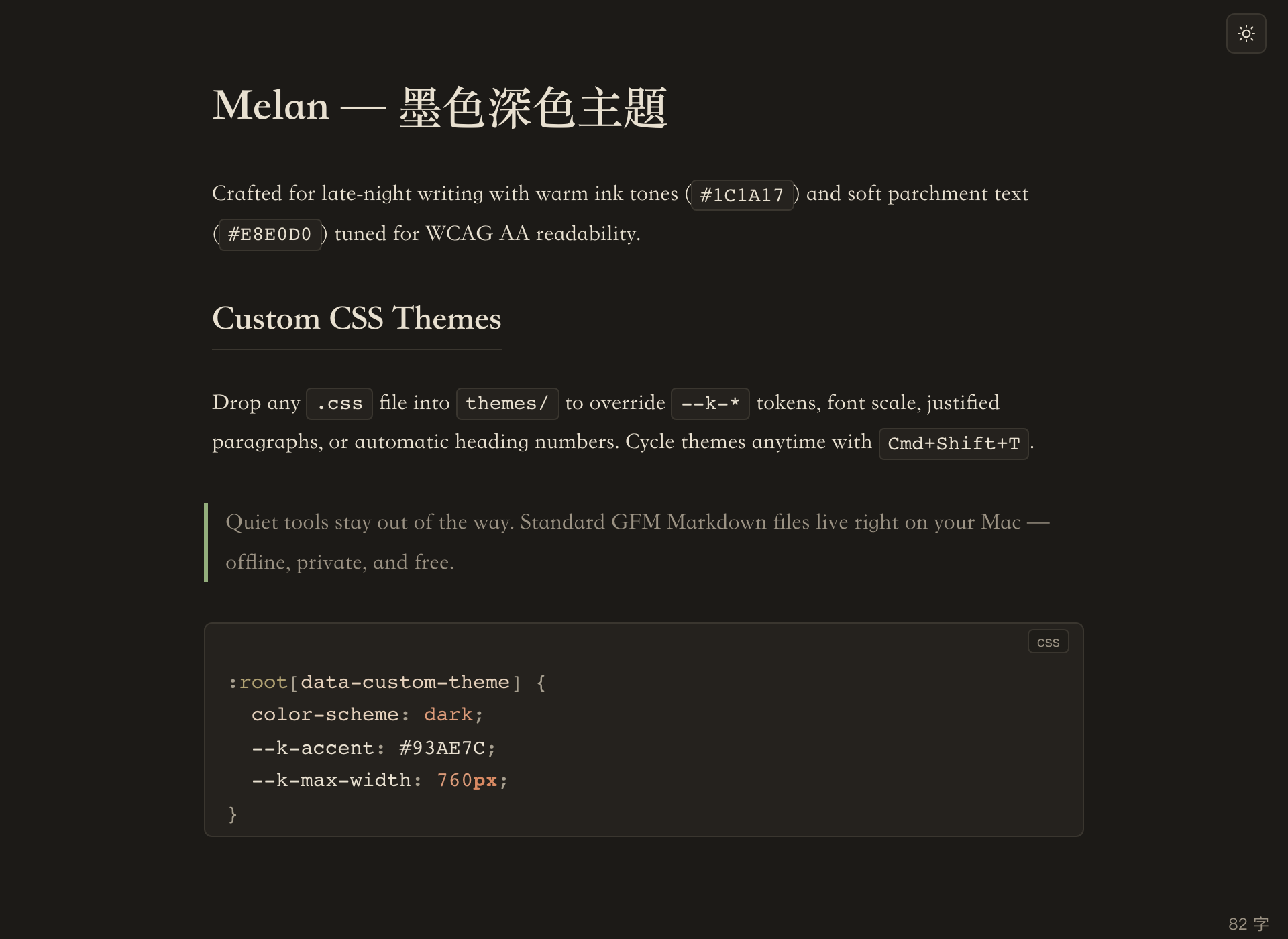
Papyros by day, Melan by night

Switch between warm papyrus light, calm ink dark, or system auto-switching with Cmd+Shift+T. Drop any CSS file into the themes/ folder to tailor colors, font scale, justified text, or automatic heading counters.

Kalamos in the Melan dark theme displaying warm ink background, headings, blockquote, and CSS custom theme snippet
Writing Modes

Stay inside the paragraph you are writing

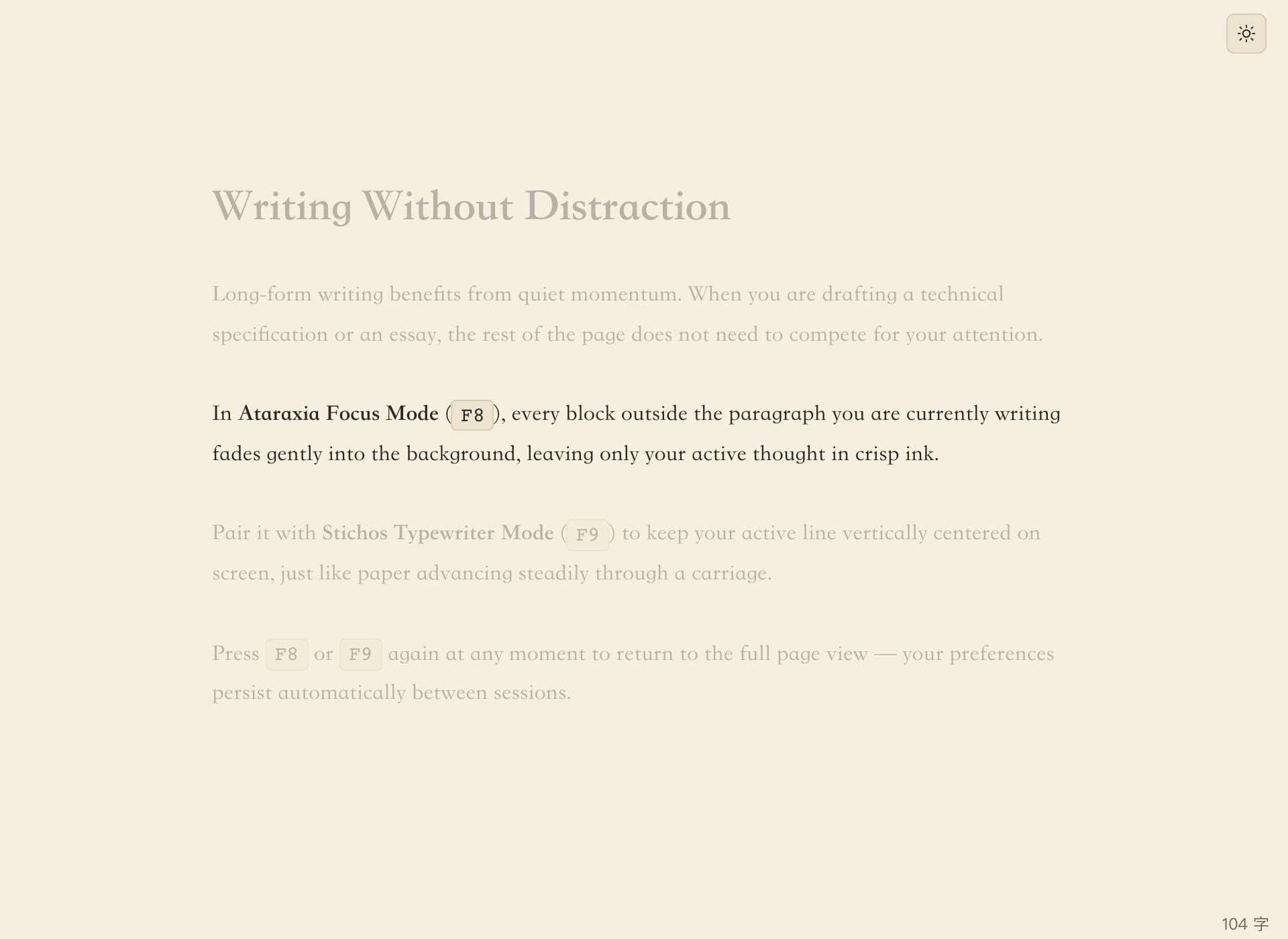
Toggle Ataraxia Focus Mode (F8) to softly dim every block outside your current paragraph, and pair it with Stichos Typewriter Mode (F9) to keep the active line centered vertically on screen.

Kalamos Ataraxia focus mode highlighting the active paragraph while softly dimming surrounding paragraphs
Keyboard First

Essential shortcuts at your fingertips

Every core action is reachable without leaving the keyboard.

Toggle Source Mode Cmd+/
Toggle Sidebar / Open Folder Cmd+Shift+L / Cmd+Shift+O
Bold / Italic / Inline Code Cmd+B · Cmd+I · Cmd+Shift+`
Insert Table Dialog Cmd+Opt+T
Ordered / Bullet / Task List Cmd+Shift+[ · ] · X
Code Line Numbers / Math Numbering Cmd+Opt+L / Cmd+Opt+N
Ataraxia Focus / Stichos Typewriter F8 / F9
Cycle Built-in & Custom Themes Cmd+Shift+T
Export PDF (with Bookmarks) Cmd+Shift+E
Pandoc Export / Import Cmd+Opt+E / Cmd+Opt+I
Image Root Folder / Upload Images Cmd+Opt+R / Cmd+Opt+U
Bracket / Markdown Auto-Pairing Cmd+Opt+P / Cmd+Opt+Shift+P
FAQ

Frequently asked questions

Why is it called Kalamos?

Kalamos (κάλαμος, pronounced KA-la-mos) is the Ancient Greek word for the reed pen used to write on papyrus. The names inside the app continue this motif: Papyros (light paper theme), Melan (dark ink theme), Ataraxia (undisturbed focus mode), and Stichos (single-line typewriter mode).

Do I need to install Pandoc?

No — Pandoc is completely optional. Everyday editing, live preview, MathJax, Mermaid diagrams, and native PDF export with bookmarks all work out of the box with zero external dependencies.

Install Pandoc (brew install pandoc) only if you want to export to DOCX, ODT, LaTeX, MediaWiki, or EPUB, or import those formats into Markdown (Pandoc 2.15+ is required for sandboxed import).

Is Kalamos free and offline?

Yes. Kalamos has no accounts, no trials, no license keys, and no telemetry. Fonts, MathJax, Mermaid, and GitHub emoji data are bundled locally so everything works offline, and your notes remain plain .md files on disk.

How do I open an unsigned macOS build?

Release builds are not Apple-notarized yet. After dragging Kalamos.app to /Applications, right-click the app in Finder and choose Open (or allow it under System Settings → Privacy & Security). You can also clear the quarantine attribute in Terminal:

xattr -cr /Applications/Kalamos.app
Can I customize themes or configure an image uploader?

Yes. Place any .css file using :root[data-custom-theme] inside ~/Library/Application Support/io.kalamos.app/themes/ to customize colors, typography, or heading numbering. For image hosting, configure uploadCommand (such as PicGo CLI) in ~/Library/Application Support/io.kalamos.app/settings.json and press Cmd+Opt+U.

Kalamos icon

Start writing on quiet paper

Download the latest macOS release from GitHub or build Kalamos directly from source.