

參考文章:
- Gemini API tooling updates: context circulation, tool combos and Maps grounding for Gemini 3
- Google Places API (New) - searchNearby
- GitHub: linebot-spot-finder
- 完整程式碼 GitHub (聚會小幫手 LINE Bot Spot Finder)
前情提要
LINE Bot + Gemini 的組合已經很常見,不管是用 Google Search Grounding 讓模型查即時資訊,還是用 Function Calling 讓模型呼叫自訂邏輯,單獨使用都很成熟。
但如果你想在同一個問題裡同時做到「地圖定位情境」和「查詢真實評分」呢?
以餐廳搜尋來說,傳統做法通常長這樣:
用戶: "幫我找附近評價4星以上的熱炒店"

方案 A(只用 Maps Grounding):
Gemini 有地圖情境,但評分資訊是 AI 自行描述,不保證準確。

方案 B(只用 Places API):
可以拿到真實評分,但沒有地圖情境,Gemini 不知道用戶在哪裡。

要兩者兼得,通常需要分兩次 API 呼叫,或是自己手動串接。
AI 能查地圖、也能呼叫外部 API,但要在一次呼叫裡同時做到這兩件事——在 Gemini API 的舊架構下一直是個尷尬的空白。
直到 2026 年 3 月 17 日,Google 發布了 Gemini API Tooling Updates(作者:Mariano Cocirio),這個問題才有了官方解法。
什麼是 Tool Combinations?
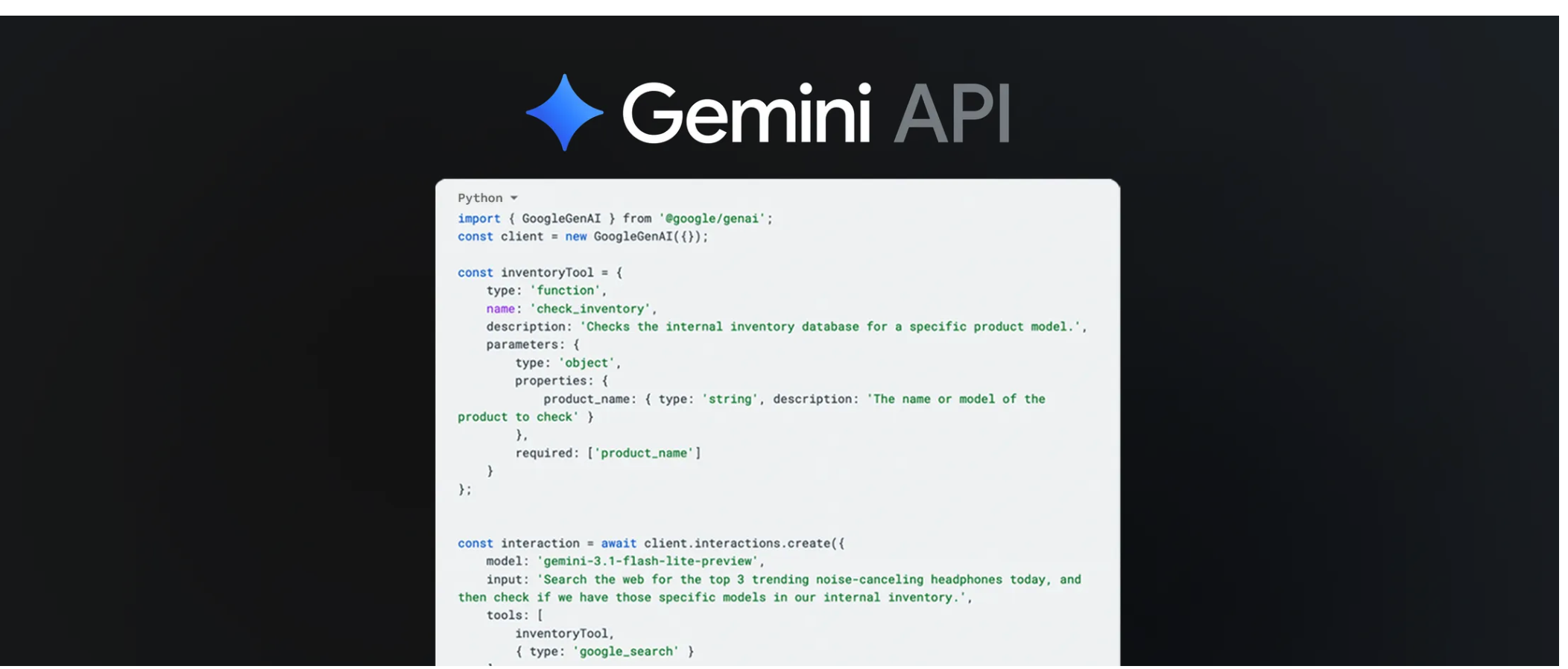
Google 在這次更新中宣布了三個核心功能:
1. Tool Combinations(工具組合) 開發者現在可以在單次 Gemini API 呼叫中同時掛上 built-in 工具(如 Google Search、Google Maps)以及自訂 Function Declarations。模型自行決定要呼叫哪個工具、何時呼叫,最後整合結果生成回答。
2. Maps Grounding Gemini 現在可以直接感知地圖資料,不再只是文字描述「位置」,而是真正具備空間情境——知道用戶在哪裡、附近有什麼。
3. Context Circulation 讓多輪工具呼叫之間的情境能自然流通,模型在第二次呼叫時能完整記憶第一次的工具呼叫結果。
這次改動的關鍵在於:
# 舊的做法(兩個工具不能並存)
types.Tool(google_search=types.GoogleSearch())
types.Tool(function_declarations=[MY_FN])

# 新的做法(同一個 Tool 物件,兩者共存)
types.Tool(
    google_maps=types.GoogleMaps(),
    function_declarations=[MY_FN],
)
一行改動,打開了全新的組合方式。
專案目標
這次我用 Tool Combinations 改造了既有的 linebot-spot-finder,讓它從「只能 Maps Grounding 粗略回答」升級到「Google Maps 情境 + Places API 真實資料」:
用戶傳送 GPS 位置後輸入:「請找評價 4 顆星以上、適合多人聚餐的熱炒店,列出名稱、地址和評論摘要。」
Bot(舊版 Maps Grounding):「附近有幾間熱炒店,評價都不錯。」(AI 自行描述,可能不準)
Bot(新版 Tool Combo):「老王熱炒|台北市信義區市民大道100號|評分 4.6(312則)|評論:份量大、CP值高,適合聚餐;服務效率高,上菜快。」
差別在於:Gemini 現在同時收到地圖情境(你在哪裡)和 Places API 的真實結構化資料(評分數字、評論文字),回答因此從「模糊描述」變成「有根據的資訊」。
架構設計
整體訊息流程
LINE User 傳送 GPS 位置
    │
    ▼
handle_location()  →  session.metadata 儲存 lat/lng
    │
    └──► 回傳 Quick Reply(餐廳 / 加油站 / 停車場)

LINE User 傳送文字問題(e.g. "找評價4星以上的熱炒店")
    │
    ▼
handle_text()
    │
    ├── session 有 lat/lng?
    │       是 → tool_combo_search(query, lat, lng)   ← 本文重點
    │       否 → fallback: Gemini Chat + Google Search
    │
    └──► 回傳自然語言答覆
Tool Combo Agentic Loop
tool_combo_search(query, lat, lng)
         │
         ▼
  Step 1: generate_content()
  tools = [google_maps + search_nearby_restaurants]
         │
         ▼
  response.candidates[0].content.parts 裡有 function_call?
       ╱                              ╲
      是                               否
      │                                │
      ▼                                ▼
  _execute_function()           直接回傳 response.text
  → _call_places_api()
    (Places API searchNearby)
    回傳評分、地址、評論
      │
      ▼
  收集成單一 Content(role="user")
  加入 history
      │
      ▼
  Step 3: generate_content(contents=history)
  Gemini 整合地圖情境 + Places 資料
      │
      ▼
  回傳 final.text
為什麼 lat/lng 不放在 Function Declaration 裡?
這是設計上一個重要決策。
如果把 lat/lng 加進 SEARCH_NEARBY_RESTAURANTS_FN 的 parameters,Gemini 會自己填入座標——但它填的是從對話推斷的「大概位置」,不是用戶實際 GPS 座標,誤差可能高達數公里。
正確做法是讓 Python dispatcher 從 session.metadata 取出精確座標,注入進去:
def _execute_function(name: str, args: dict, lat: float, lng: float):
    if name == "search_nearby_restaurants":
        return _call_places_api(
            lat=lat, lng=lng,          # ← 從 session 注入,不讓 Gemini 猜
            keyword=args.get("keyword", ""),
            min_rating=float(args.get("min_rating", 4.0)),
        )
核心程式碼詳解
Step 1:定義 Function Declaration
from google.genai import types

SEARCH_NEARBY_RESTAURANTS_FN = types.FunctionDeclaration(
    name="search_nearby_restaurants",
    description=(
        "用 Google Places API 搜尋附近餐廳,回傳評分、地址與用戶評論。"
        "lat/lng 由系統自動帶入,不需要提供。"
    ),
    parameters=types.Schema(
        type=types.Type.OBJECT,
        properties={
            "keyword": types.Schema(
                type=types.Type.STRING,
                description="餐廳類型或關鍵字,例如:熱炒、火鍋、義式",
            ),
            "min_rating": types.Schema(
                type=types.Type.NUMBER,
                description="最低評分門檻(1–5),預設 4.0",
            ),
            "radius_m": types.Schema(
                type=types.Type.INTEGER,
                description="搜尋半徑(公尺),預設 1000",
            ),
        },
    ),
)
description 裡明確告訴模型「lat/lng 由系統帶入」,避免模型在 args 裡自己填座標。
Step 2:Places API 呼叫
import httpx

PLACES_API_URL = "https://places.googleapis.com/v1/places:searchNearby"
PLACES_FIELD_MASK = (
    "places.displayName,"
    "places.rating,"
    "places.userRatingCount,"
    "places.formattedAddress,"
    "places.reviews"
)

def _call_places_api(lat, lng, keyword="", min_rating=4.0, radius_m=1000):
    body = {
        "includedTypes": ["restaurant"],
        "maxResultCount": 5,
        "locationRestriction": {
            "circle": {
                "center": {"latitude": lat, "longitude": lng},
                "radiusMeters": radius_m,
            }
        },
    }

    response = httpx.post(
        PLACES_API_URL,
        headers={
            "X-Goog-Api-Key": os.getenv("GOOGLE_MAPS_API_KEY"),
            "X-Goog-FieldMask": PLACES_FIELD_MASK,
        },
        json=body,
        timeout=10.0,
    )
    response.raise_for_status()
    data = response.json()

    restaurants = []
    for place in data.get("places", []):
        rating = place.get("rating", 0)
        if rating < min_rating:
            continue
        reviews = [
            r["text"]["text"]
            for r in place.get("reviews", [])[:3]
            if r.get("text", {}).get("text")
        ]
        restaurants.append({
            "name": place["displayName"]["text"],
            "address": place.get("formattedAddress", ""),
            "rating": rating,
            "rating_count": place.get("userRatingCount", 0),
            "reviews": reviews,
        })

    return {"restaurants": restaurants}
Step 3:Tool Combo 主函式(Agentic Loop)
async def tool_combo_search(query: str, lat: float, lng: float) -> str:
    client = genai.Client(
        vertexai=True,
        project=os.getenv("GOOGLE_CLOUD_PROJECT"),
        location=os.getenv("GOOGLE_CLOUD_LOCATION", "us-central1"),
        http_options=types.HttpOptions(api_version="v1"),
    )

    enriched_query = (
        f"用戶目前位置:緯度 {lat},經度 {lng}。\n"
        f"請用台灣用語的繁體中文回答,不要使用 markdown 格式。\n\n"
        f"問題:{query}"
    )

    tool_config = types.GenerateContentConfig(
        tools=[
            types.Tool(
                google_maps=types.GoogleMaps(),                      # ← Maps grounding
                function_declarations=[SEARCH_NEARBY_RESTAURANTS_FN], # ← Places API
            )
        ],
    )

    # ── Step 1 ──────────────────────────────────────────────────────
    response = client.models.generate_content(
        model=TOOL_COMBO_MODEL,
        contents=enriched_query,
        config=tool_config,
    )

    if not response.candidates:
        return response.text or "(無法取得回覆)"

    history = [
        types.Content(role="user", parts=[types.Part(text=enriched_query)]),
        response.candidates[0].content,
    ]

    # ── Step 2:處理 function_call ──────────────────────────────────
    function_response_parts = []
    for part in response.candidates[0].content.parts:
        if part.function_call:
            fn = part.function_call
            result = _execute_function(fn.name, dict(fn.args or {}), lat, lng)
            function_response_parts.append(
                types.Part(
                    function_response=types.FunctionResponse(
                        id=fn.id, name=fn.name, response=result,
                    )
                )
            )

    if function_response_parts:
        history.append(types.Content(role="user", parts=function_response_parts))

        # ── Step 3 ────────────────────────────────────────────────────
        final = client.models.generate_content(
            model=TOOL_COMBO_MODEL,
            contents=history,
            config=tool_config,
        )
        return final.text or "(無法取得回覆)"

    return response.text or "(無法取得回覆)"
踩過的坑
❌ 坑 1:Part.from_function_response() 不接受 id 參數
這是這次最容易踩的坑,而且錯誤只在真實模型呼叫時才會爆,單元測試幾乎不會發現。
原本參考官方範例這樣寫:
# ❌ 錯誤——TypeError 在 runtime 發生
types.Part.from_function_response(
    id=fn.id,       # ← 這個參數不存在!
    name=fn_name,
    response=result,
)
from_function_response 的實際簽名是:
(*, name: str, response: dict, parts: Optional[list] = None) -> Part
完全沒有 id 參數。每次模型真的觸發 function_call,程式就會在這行噴 TypeError,然後靜默進入 Step 3 的 except,回傳錯誤訊息,Places API 的結果從來沒有真正傳回給 Gemini。
正確寫法是直接建構 types.FunctionResponse:
# ✅ 正確
types.Part(
    function_response=types.FunctionResponse(
        id=fn.id,
        name=fn_name,
        response=result,
    )
)
用 python -c "from google.genai import types; help(types.Part.from_function_response)" 可以立刻確認參數清單。
❌ 坑 2:include_server_side_tool_invocations=True 讓 Pydantic 爆炸
看到官方文件範例加了這個參數覺得應該加:
# ❌ 錯誤
types.GenerateContentConfig(
    tools=[...],
    include_server_side_tool_invocations=True,  # ← 安裝的 SDK 版本不支援
)
在 google-genai 1.49.0 這個欄位還不在 GenerateContentConfig 的 model fields 裡,Pydantic 會直接噴 extra_forbidden 驗證錯誤。直接拿掉就好,功能完全正常。
❌ 坑 3:textQuery 是 searchText 的參數,不是 searchNearby 的
想說「有 keyword 就帶進 Places API」,直覺把它加進 request body:
# ❌ 錯誤——對 searchNearby endpoint 是無效欄位
if keyword:
    body["textQuery"] = keyword
searchNearby 只接受 includedTypes、locationRestriction 等欄位;textQuery 是 searchText endpoint 的參數。帶了這個欄位不會報錯(某些版本下),但 keyword 完全不生效。
正確的做法是把 keyword 留在 Function Declaration 的 description 裡給 Gemini 參考,讓模型把意圖轉譯到 enriched_query 上,讓 Maps Grounding 去處理關鍵字語意,Places API 只負責回傳真實評分資料。
❌ 坑 4:response.candidates[0] 沒有 guard
模型在遇到安全過濾、RECITATION、或其他非正常終止時,candidates 可能是空 list,這時直接 response.candidates[0] 就是 IndexError。
# ❌ 沒有 guard
history = [
    types.Content(role="user", parts=[types.Part(text=enriched_query)]),
    response.candidates[0].content,   # ← 如果 candidates 是空的就爆
]

# ✅ 加 guard
if not response.candidates:
    return response.text or "(無法取得回覆)"

history = [...]
Demo 展示
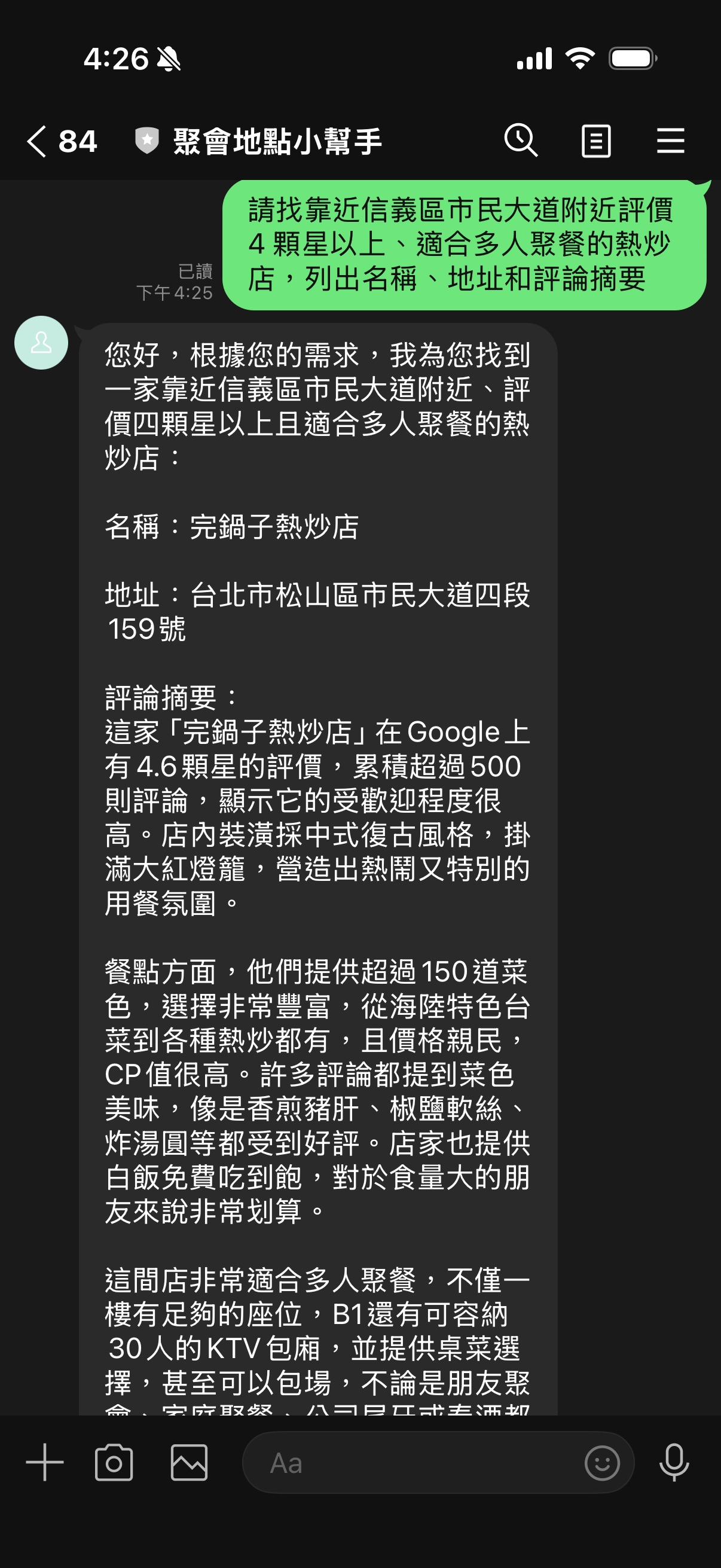
場景 1:「找評價 4 顆星以上的聚餐熱炒店」
用戶傳送:GPS 位置(台北市信義區,25.0441, 121.5598)

用戶輸入:「請找評價 4 顆星以上、適合多人聚餐的熱炒店,列出名稱、地址和評論摘要。」

[Step 1: Gemini 收到 query + 地圖情境]
  → 偵測到需要餐廳資料,emit function_call:
    search_nearby_restaurants(keyword="熱炒", min_rating=4.0)

[Step 2: Python 呼叫 Places API]
  → lat=25.0441, lng=121.5598 從 session 注入
  → 回傳 3 間評分 ≥ 4.0 的餐廳,含評論文字

[Step 3: Gemini 整合 Maps 情境 + Places 資料]
  → 「老王熱炒|信義區市民大道100號|⭐ 4.6(312則)
      評論摘要:份量大、CP值高,朋友聚餐首選;服務快,菜色新鮮。
     ...(共3間)」
場景 2:「有沒有 CP 值高的日式料理?」
用戶輸入:「附近有沒有 CP 值高的日式料理?」

[Step 1: Gemini]
  → function_call: search_nearby_restaurants(keyword="日式料理", min_rating=4.0)

[Step 2: Places API]
  → 回傳 2 間評分符合的日本料理店

[Step 3: Gemini]
  → 「有兩間推薦:
      和食処○○|...|⭐ 4.4|評論:平日午間定食只要280元,新鮮度很高。
      ...」
Demo Script 快速測試
不需要 LINE Bot,直接在本機:
# 只測試 Tool Combo(主功能)
python demo.py combo

# 三個功能全跑
python demo.py all
舊架構 vs 新架構
| 舊架構(Maps Grounding only) | 新架構(Tool Combo) | |
|---|---|---|
| 工具 | google_maps(built-in) |
google_maps + search_nearby_restaurants(custom) |
| 評分資料 | Gemini 自行描述(可能不準) | Places API 真實數字 |
| 評論 | AI 生成 | 真實用戶評論(最多3則) |
| API 呼叫次數 | 1次 | 1次(Step1)+ 1次(Step3)= 2次,但對用戶透明 |
| 準確度 | 中 | 高 |
| 自訂過濾 | 靠 prompt | min_rating、radius_m 精確控制 |
分析與展望
這次實作讓我對 Gemini Tool Combinations 的潛力有了更清楚的認識。
Tool Combinations 真正解決的問題,是讓 Grounding 和 Function Calling 不再是二選一。以前要做「有地圖情境 + 有真實外部資料」,只能自己在應用層手動串兩次 API,或是用 Gemini 的文字生成去「模擬」外部資料(不可靠)。現在模型自己知道何時該用地圖情境、何時該呼叫 Places API,開發者只需要把工具掛上去。
不過這次實作也有幾個值得注意的地方:
-
lat/lng注入模式很重要:不能讓模型自己猜座標,一定要從 session 注入,否則定位精度會很差。這個模式也適用於所有「有 session 狀態」的 function calling 場景。 -
兩次
generate_content的成本:Tool Combo 的 agentic loop 需要兩次模型呼叫,token 消耗大約是單次的 1.5–2 倍。對低延遲要求高的場景要特別考量。 -
SDK 版本差異:
google-genai各版本對GenerateContentConfig的欄位支援不同,include_server_side_tool_invocations這類新欄位加版本號確認再用,否則 Pydantic 驗證錯誤很難追。
未來可以延伸的方向:
- 把 Postback 快速回覆(點「找餐廳」按鈕)也接上 Tool Combo,讓每個入口都能拿到真實評分
- 加入
searchTextendpoint 支援更複雜的關鍵字搜尋(e.g. 米其林推薦) - Tool Combo 搭配其他 built-in 工具(如
google_search)實現更複雜的多工具串接
總結
這次改動的核心概念只有一句話:把 Google Maps grounding 和 Places API function tool 掛在同一個 types.Tool 裡,Gemini 就會在單次對話裡自己協調兩者。
關鍵程式只有這幾行:
# 這就是 Tool Combo 的全部魔法
types.Tool(
    google_maps=types.GoogleMaps(),                       # ← Maps 情境
    function_declarations=[SEARCH_NEARBY_RESTAURANTS_FN], # ← Places API
)
但要讓它真的 work,還需要注意:FunctionResponse 的建構方式、candidates 的 guard、Places API endpoint 的正確欄位、以及 lat/lng 從 session 注入而不是讓模型猜。
完整程式碼在 GitHub,歡迎 clone 來玩。
我們下次見!
- Google (10) ,
- Gemini (24) ,
- LINE Bot (10) ,
- Function Calling (3) ,
- Maps Grounding (1) ,
- Places API (1) ,
- Tool Combo (1)

